
AI in Design
AI in My UX/UI Workflow: What Actually Works (and What Doesn't)
The topic of AI in design has been all over the internet for quite some time now. The conversation is typically divided into two groups. The first is filled with hype around all the new tools for designers that generate amazing interfaces, write mind-blowing UX copy, create hyper-realistic visuals, and so much more. The second — spreads panic about how AI is coming to replace designers entirely.
I’m not here to talk about either of these POVs, because neither is particularly useful or, frankly, interesting. Instead, I want to share my honest experience with AI tools and explain how I actually integrate them into my UX and UI workflows.
Using AI as a UX Research and Analysis Partner
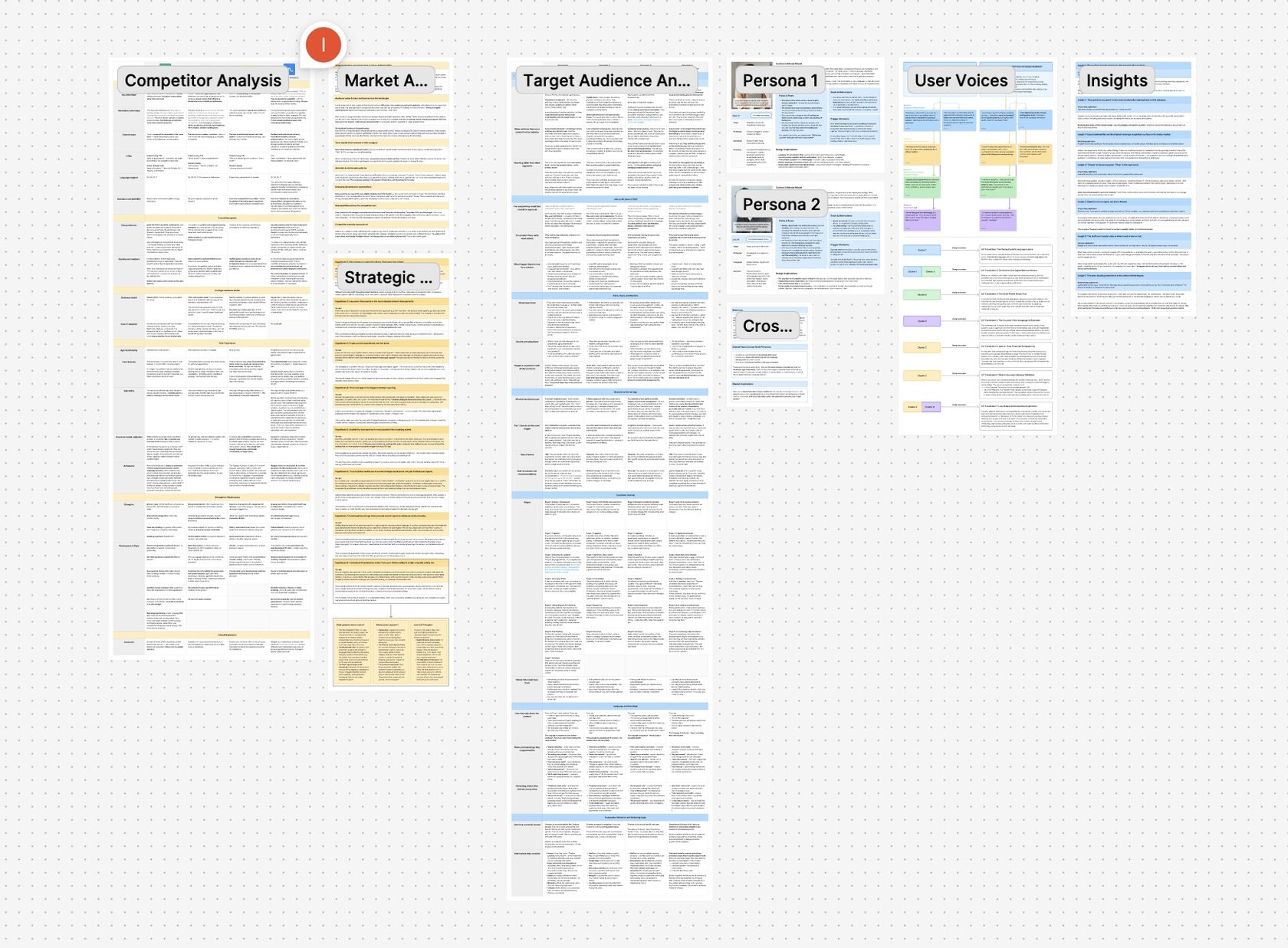
That is, honestly, my favourite use case, and if I had to choose one single AI tool — it would be the one that allows me to do a strong UX research. Exactly not as a replacement for my judgement, but as a partner.
My design process is built around a "Research First, Pixels Second" philosophy. I strongly believe that every good design starts with a proper research: understanding of the context, the industry, business goals, users needs, and the competitors landscape. And my UX research has genuinely improved since I started treating AI as a thinking partner rather than a shortcut.
For example, I’ve built a customised Claude skill to help me kickstart competitor analysis, market research and user needs exploration. It never just does the job for me. Instead, by going through sequential stages I’ve identified in advance, it acts as a collaborative researcher — helping me find the right approach, identify the necessary analysis criteria, and keep my focus on the details I might’ve missed otherwise. I’m still the one driving the research and drawing the conclusions, but I can get through the complex structuring phase much faster while getting better results and deeper insights.
Generating Mockups, Visuals and Videos

While it’s one of the more obvious uses of AI in UX/UI design, I think generative tools have become an invaluable addition to any designer’s toolkit. I personally mostly use NanoBanana, Midjourney, Krea, or ChatGPT for image creation, depending on the task – as each tool has its strengths and weaknesses. When I need to generate a video, Kling is usually my go-to tool.
I consistently use these tools to create custom visuals for my client projects, case studies, and even social media. For example, for MediVero — a concept design work — I needed realistic medical and clinical imagery. In the past, this would’ve meant relying on generic stock photography — we all remember those times, right? Generative AI tools allowed me to break free from those cheesy stock photos and create custom, branded visuals that perfectly aligned with the complex medical context of the project.
Streamlining Small HTML and CSS Tasks
I’m not here to touch on the whole "vibe coding" situation — I do think it’s an incredible tool for designers to create amazing things on their own, but I want to focus purely on smaller coding tasks that optimised my development workflows.
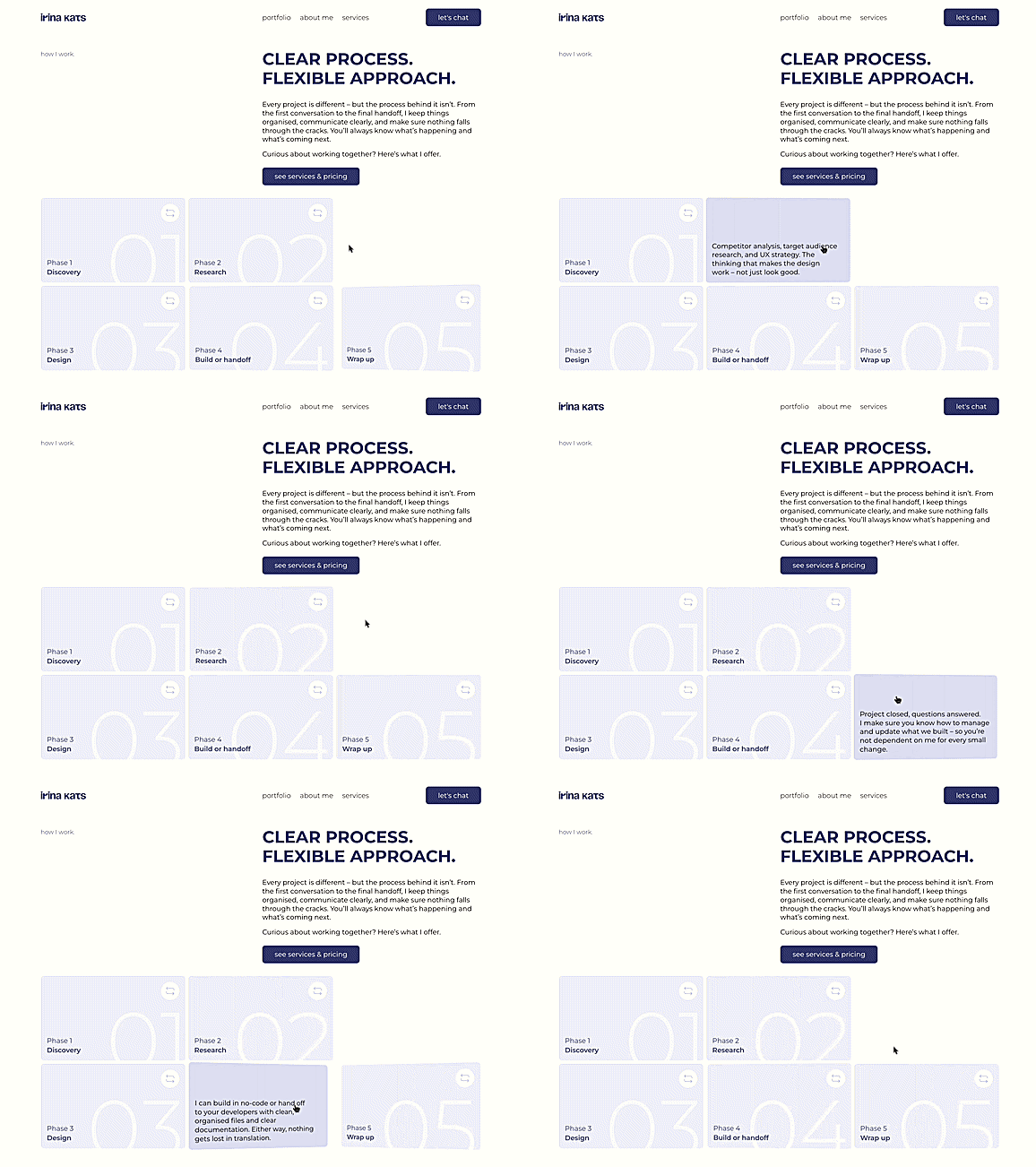
As a designer who often leads projects end-to-end, I’ve frequently been using AI for small custom front-end tasks. If I want to implement a custom hover interaction — for example, cards that flip smoothly when a user hovers over it — I can use AI to quickly write the code for this particular interaction I wanted. This AI integration opened ways for me to be more creative with a final product and I just couldn’t be happier.
From Tools to Trust
Using these tools daily quickly demystifies them. When you treat AI as an interactive assistant for research, visuals, and minor frontend code, you stop seeing it as a magical replacement and start seeing it as a highly capable mirror of your own input.
This brings us to the elephant in the room:
Will AI replace designers?
I know I said I won’t talk about it, but I thought it was necessary to address the question in a very calm way — no hype, no fear-spreading, just the way I feel.
Honestly, AI is developing incredibly fast, allowing designers to produce more in less time. But there’s still a lot AI simply can’t do without human direction.
What I mean is, AI has limitations. The biggest being that it lacks judgement. It can help us structure the context — who are the users, what do they need, what does the business actually want, what does this industry expect. It cannot generate empathy or critical thinking from scratch. It cannot make design decisions that actually solve human problems. It can suggest, and it can follow your lead, but it cannot independently produce a product that balances user psychology with business viability.
For example, when researching my MediVero project, I realised doctors didn’t fear AI diagnostic technology itself — they feared being blamed for trusting it. AI can organise clinical data, but it cannot empathise with a doctor’s legal and emotional hesitation. That requires human insight, real-world reasoning, and deep intuition. That is exactly where designers are irreplaceable, too.
Ultimately, AI won’t replace designers. But designers who integrate AI tools in their workflows will undoubtedly replace those who ignore them or let AI entirely replace their thinking.
15.07.2026
let's chat.
Got an idea? I’m all ears.
No need for a polished brief – a rough idea is enough to start a conversation. Fill in the form and I’ll be in touch shortly.
By submitting this form you agree to my privacy policy.
